
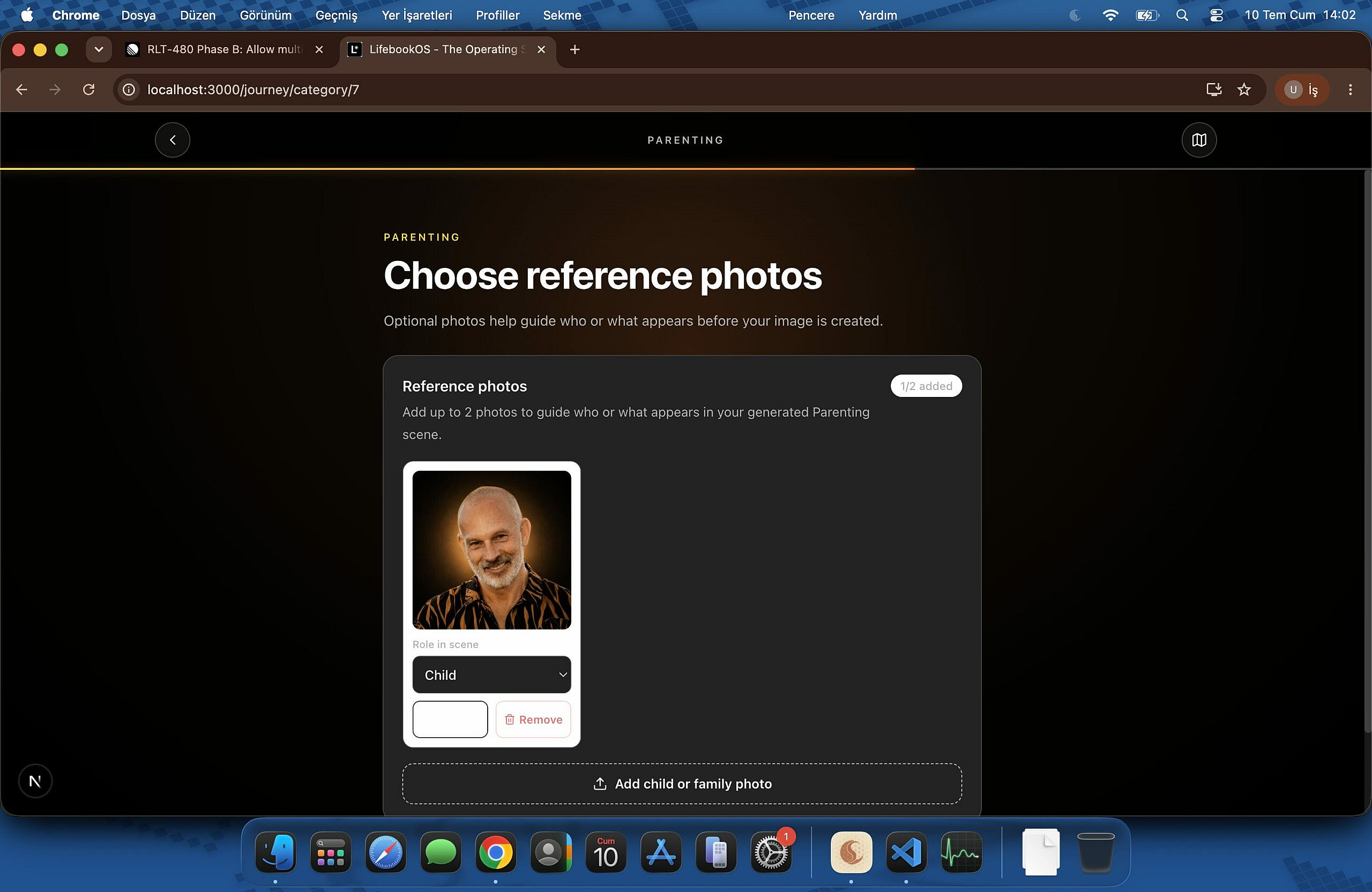
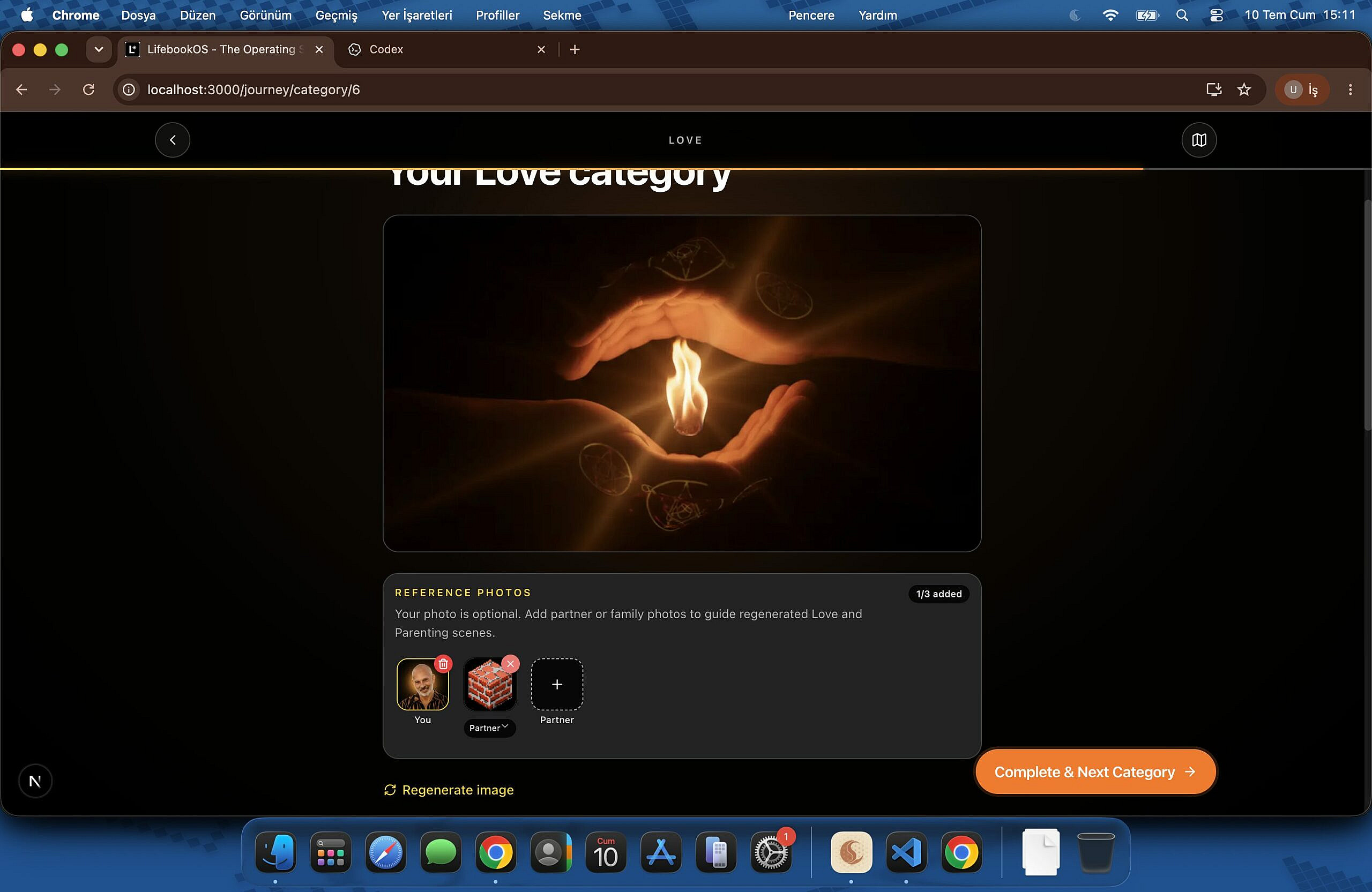
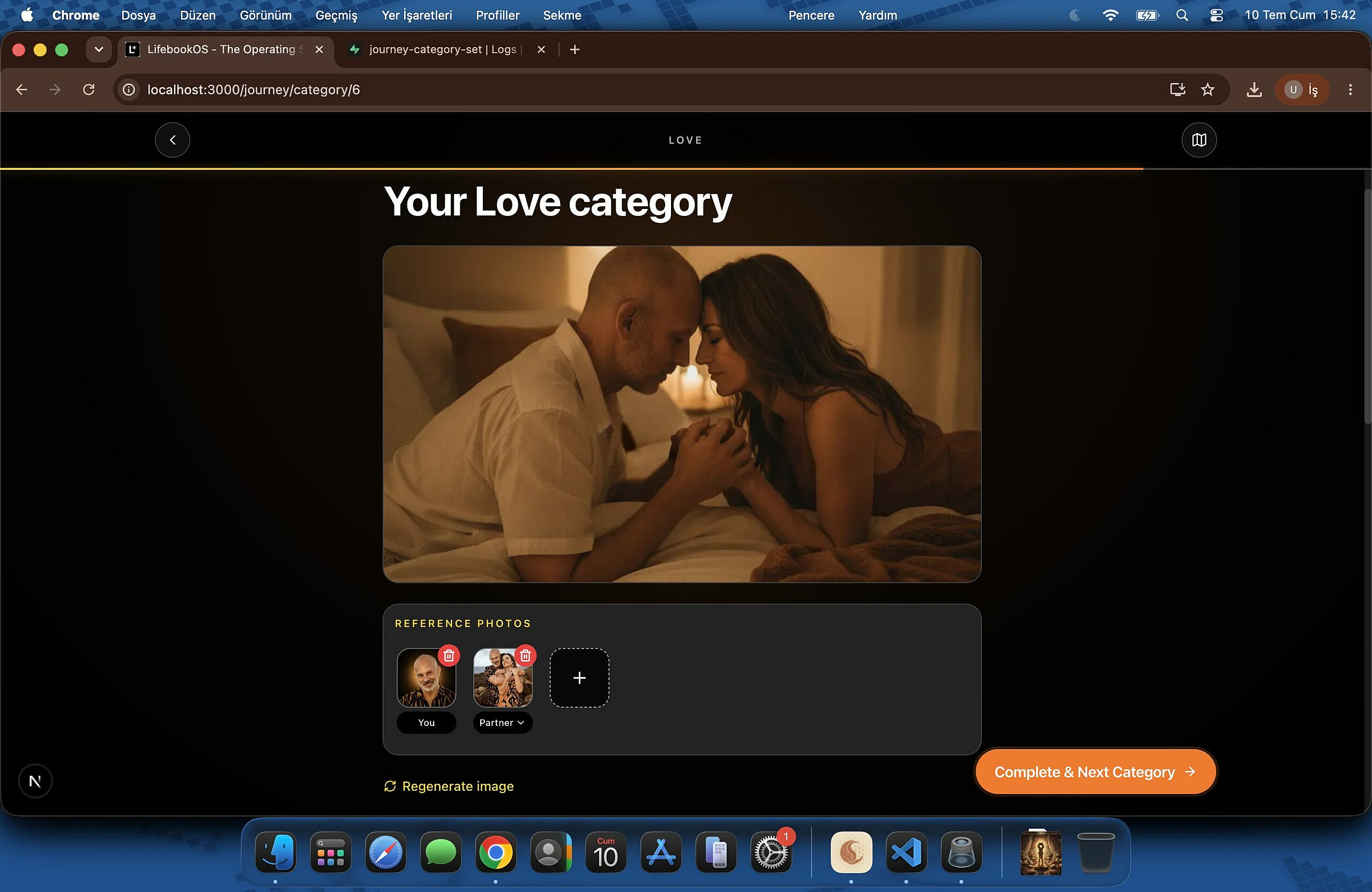
GPT 5.6 sol high(birinci foto) vs GPT 5.5 xhigh (ikinci foto). Son foto da 5.5 xhigh bi kaç prompt iterasyon sonrası.
Ben beğenmedim 5.6'yı, en azından frontend için. Belki Max veya Ultra kullanmak lazım bilemedim, bildiğin deepseek v3 2 senenin öncesi gibi bişi yaptı ve çalışması/kod kalitesi de kötüydü yani. 🙁








Verilen iş ne çıktı ne anlaşılmıyor cahilim anlayamıyorum 😀
verilen iş uzun çoğunlukla frontend. çıktı 3 foto da aynı sayfa işte. ilki yeni model, ikincisi hep kullandığım model. üçüncü de bitmiş hali diyebilirsin hep kullandığım model ile.
@gt710gaming
Phase B: Allow multiple family/partner reference photos for Love and Parenting image generation
Source
Phase B · Stage 09 · Lifebook program
RLT-480: Allow multiple family/partner reference photos for Love and Parenting image generation
Clear problem statement
The Journey onboarding flow already supports the user’s avatar plus one partner/family reference image for Love and Parenting, but the UI does not clearly explain how the secondary image will be used and the singular implementation prevents users from adding multiple people. Improve the UX with minimal, intuitive changes and complete the end-to-end support for multiple partner/family references without changing other Journey categories.
Current implementation
lib/constants/journey.ts maps category ID 6 to Love and ID 7 to Parenting.
app/journey/category/[id]/page.tsx enables secondary-image support for categories [6, 7], but uses singular state:
partnerImageUrl
partnerImageRemoteUrl
partnerRelationship
components/journey/ReviewStep.tsx renders ReferenceAvatarStack and an upload affordance for only one secondary image.
Secondary Journey uploads currently use a fixed path such as ${user.id}/${categoryId}/partner.${ext} with upsert: true, causing later uploads to overwrite earlier photos.
components/journey/GeneratingStep.tsx sends at most one partnerImageUrl and one partnerRelationship.
supabase/functions/journey-category-set/index.ts stores and processes only partner_image_url and partner_relationship, and builds a maximum of two references: the user avatar and one partner image.
supabase/functions/_shared/reference-image.ts enforces a 5 MB fetched-image limit, which may not match the Journey upload UI or storage behavior.
components/chat/ChatInput.tsx and app/lifebook/[id]/edit-cover/page.tsx provide existing multi-image patterns for comparison, but they are separate from the Journey category flow.
Implementation guidance
Define the UX before implementation
Propose a small set of minimal UI improvements that make the feature self-explanatory.
Prefer a clear action such as “Add partner or family photo,” supported by short helper text explaining that these photos guide generated Love or Parenting scenes.
Show all selected references as previews, with an obvious remove action and relationship label for each photo.
Include the user avatar in the reference display while making it visually distinct from added partner/family photos.
Account for mobile layout, the selected-photo count, upload progress, validation errors, and the maximum-photo limit.
Replace singular secondary-image state
In app/journey/category/[id]/page.tsx, replace the singular partner URL, remote URL, and relationship state with a collection of secondary references.
Each item should retain enough information for preview, upload, removal, relationship metadata, and generation payload construction.
Preserve the existing feature gate so only Love (6) and Parenting (7) receive this behavior.
Update the review UI
Refactor components/journey/ReviewStep.tsx and ReferenceAvatarStack to render multiple secondary references.
Support adding, previewing, labeling, and removing individual photos before generation or regeneration.
Keep the UI compact and consistent with the existing Journey design rather than introducing a separate manual-cover workflow.
Preserve every uploaded reference
Replace the fixed partner.${ext} storage key with a unique, stable path per uploaded photo.
Ensure adding one photo does not overwrite other references.
Clean up temporary object URLs and handle removal from state and storage where appropriate.
Send a structured multi-image payload
Update components/journey/GeneratingStep.tsx to send an array of secondary reference objects rather than only partnerImageUrl and partnerRelationship.
Maintain backward compatibility only if needed for in-flight or previously saved data.
Continue omitting reference data when image generation is skipped.
Update the edge function and prompt construction
Extend supabase/functions/journey-category-set/index.ts to validate and persist multiple secondary URLs and relationship labels.
Build the Vertex reference list from the user avatar plus all accepted partner/family images.
Update prompt language so it does not assume exactly two people and can describe couples, parents, children, or broader family/group scenes.
Preserve reference ordering and make the relationship metadata unambiguous.
Align provider constraints
Establish an explicit maximum secondary-photo count.
Apply the same allowed MIME types, per-file size limit, and total reference count in:
app/journey/category/[id]/page.tsx
components/journey/ReviewStep.tsx
supabase/functions/journey-category-set/index.ts
supabase/functions/_shared/reference-image.ts
supabase/functions/_shared/vertex-image.ts, where provider limits are enforced
Surface actionable client-side errors before an unsupported image reaches the edge function.
Add tests and verification
Add or update component and edge-function tests for:
Multiple selection and previews
Per-photo removal and relationship changes
Unique storage paths
Payload serialization
Count, MIME-type, and size validation
Avatar plus multiple family references
Love/Parenting gating
Unchanged behavior for all other categories
Extend relevant diagnostics coverage, including patterns in __tests__/lib/journey/generation-diagnostics.test.ts, if multi-reference failures change inputImageCount or error reporting.
Run the relevant automated checks after implementation and report the exact results.
Technical hints
Model secondary references as an array of structured records instead of parallel arrays or additional singular state. Each record should include a stable client identifier, preview URL, remote URL when uploaded, and relationship metadata.
Reuse the multi-image interaction patterns from components/chat/ChatInput.tsx or app/lifebook/[id]/edit-cover/page.tsx where useful, but keep the Journey implementation category-specific.
Update the existing ReviewStep props (partnerImageUrl, onPartnerImageSelect, onPartnerImageRemove, and partnerRelationship) as a cohesive collection API rather than adding more singular props.
Replace the conditional object currently sent by GeneratingStep with a clearly named references array.
Refactor the referenceImages construction in journey-category-set so it supports zero or one avatar plus multiple secondary references without branching around exactly one partner.
Coordinate with RLT-479 for shared reference-image diagnostics and with the B04 prompt-refinement work for group-scene wording. RLT-418 is adjacent payload-size work for Coach chat and is not a duplicate.
Acceptance criteria
Love and Parenting Journey review/generation flows accept more than one partner/family reference photo.
The interface clearly explains how added photos affect generation.
Every secondary photo can be previewed and removed independently.
Relationship metadata is supported per photo, unless a documented and approved group-level model is selected.
Upload paths are unique and no longer overwrite previous family references.
GeneratingStep and journey-category-set accept and process multiple secondary references.
Prompt construction supports the user avatar plus multiple people and does not assume a two-person scene.
UI and backend enforce the same count, MIME-type, and size constraints.
Existing generation diagnostics accurately report the number of input references.
Non-Love/Parenting categories continue to behave exactly as before.
Clear ask
Please first inspect the confirmed Journey flow and present a concise implementation plan with the recommended minimal UX, maximum-photo count, relationship-label model, and mobile behavior. After approval, implement the complete frontend, storage, payload, edge-function, prompt, validation, and test changes required to satisfy RLT-480.
bu prompt. 😀
Context length yetmedi bu prompt'a benim beynin 🙂 3 site de güzel görünüyor aslında ama kodun kendisini bilemem tabi.
@gt710gaming 😀 bizde promptlar böyle,Clear ask ve Clear problem statement
okuyup geçiyorum çoğu zaman 😀
teşekkürler.